


Step-by-Step Process to Apply for a Visa Online
How to apply for a tourist visa online — for any nationality, to any destination we service.
How to apply, step by step



-
Step 1
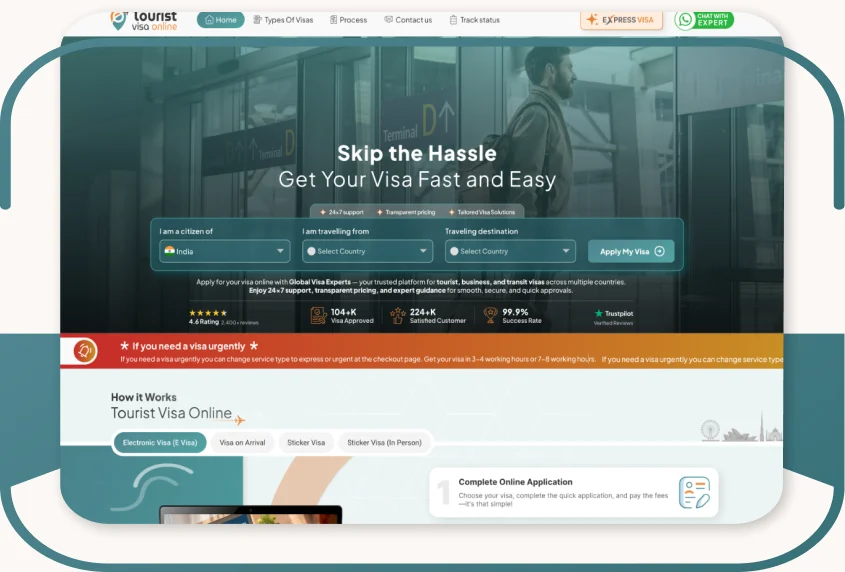
Select Country For Visa
-
Visit Tourist Visa Online.
-
Select your citizenship, living country, and visa destination.
-
Click "Apply Visa."
-
-
Step 2
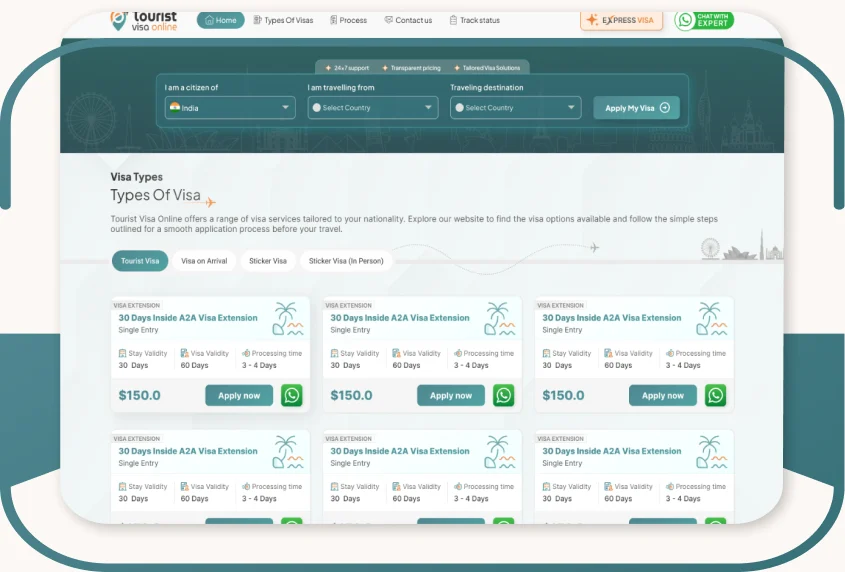
Choose Your Visa Type
-
Check if a visa is required; if visible, apply from the left menu.
-
To change citizenship, living country, or destination, use the top search bar.
-
Switch visa types from the left menu.
-
Select your visa and click "Proceed to Next."
-
-
Step 3
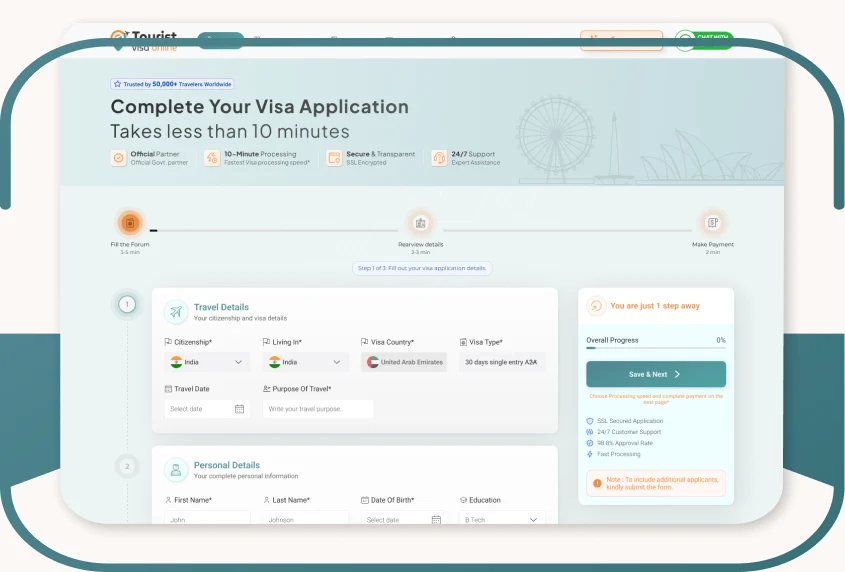
Fill The Application Form
-
Fill in personal, travel, and address information.
-
Upload up to 7 documents (combine if needed).
-
To submit one application, click "Submit" and proceed.
-
For multiple applications, submit the first, then add more applicants (listed at the bottom).
-
When ready, click "Pay Now" to proceed with payment.
-
-
Step 4
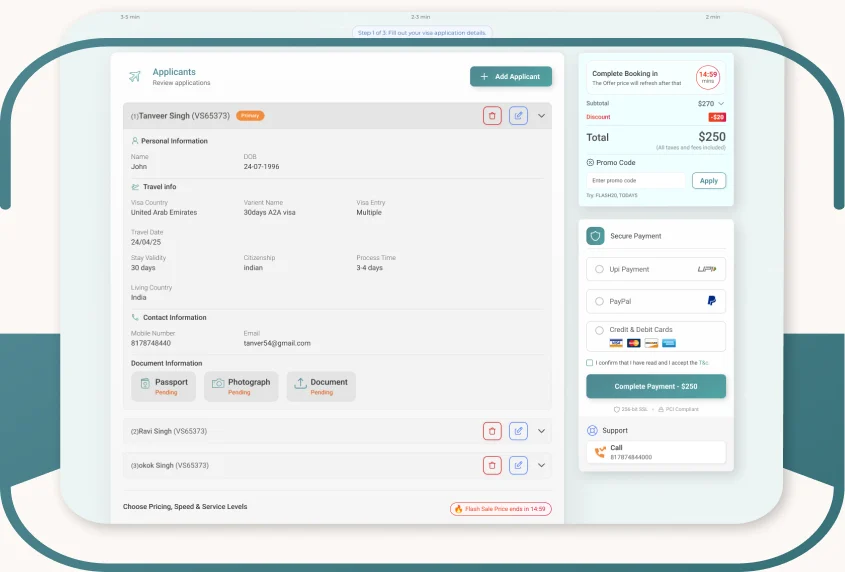
Review And Pay
-
Review the number of applicants.
-
Add more applicants or remove as needed.
-
Select a payment method (retry with a different option if payment fails).
-
After successful payment, track your visa status.
-
Once processed, receive your visa via email or download it using your application ID and passport number.
-
-
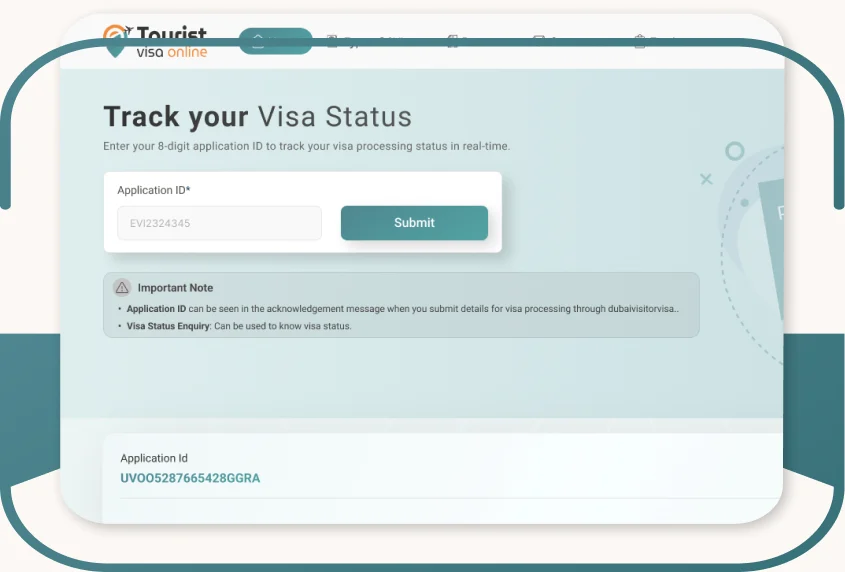
Step 5
Track Your Visa Status
-
Review the number of applicants.
-
Add more applicants or remove as needed.
-
Select a payment method (retry with a different option if payment fails).
-
After successful payment, track your visa status.
-
Once processed, receive your visa via email or download it using your application ID and passport number.
-

